Hello folks; I’m slowly transitioning my ‘half a decade’ TradingView workflow over to a new charting platform. I want that new platform to be MotiveWave. It would be great if MW becomes my final ‘one stop shop’ for trading-related work so here are all the questions I wanted to ask, but haven’t:
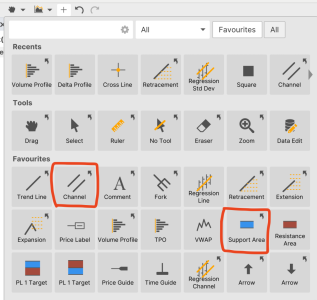
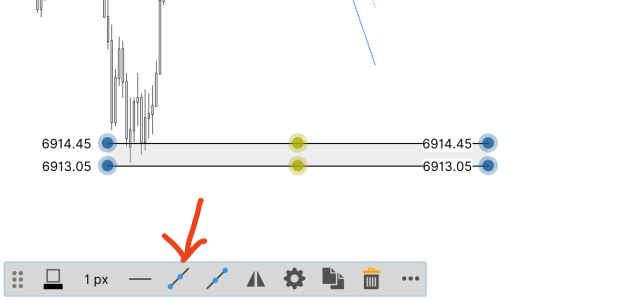
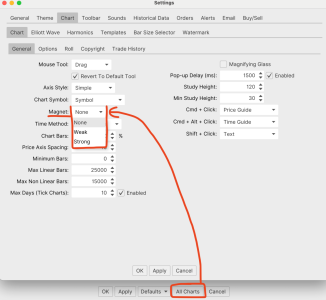
4. What do people use to make GAPs on their chart (besides horizontal lines)? I usually pick the rectangle tool and will post it on the Daily Chart and make sure the lines are visible on the lower timeframes to know when price is in a GAP? When I picked the rectangle tool, I noticed that it doesn't magnetize or snap to price levels so my rectangle/gap drawings are not specifically accurate, is there a way to fix this?:
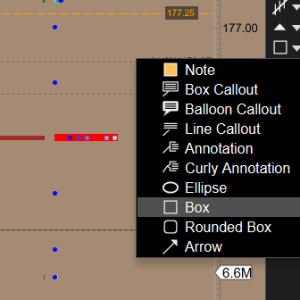
Also, how do you get the box to extend to the right indefinitely?
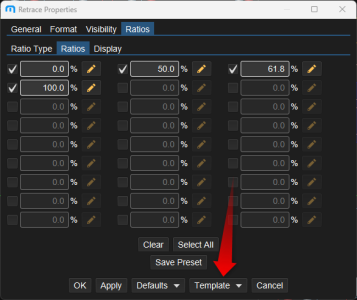
5. Is there a fast way to edit Fib Ratios like color and text??? Its a nightmare having to edit each value one by one.
6. When you pull a Fibonacci ratio on a specific ticker, is there a way to add an alert on one of the ratios automatically? That would be incredible.
7. I'm having some issues with alerts, when I went to close a chart, I got an alert saying that 'there is an active alert on the chart and closing the chart can deactivate the alert.' Does the chart needs to remain OPEN for an alert to trigger? Usually I may look at a weekly or monthly chart, set an alert and pay no mind to it until it taps the level I have set. If someone can clarify, that would be great. I know on TradingView the alerts are server side so its a 'set it and forget it' situation, was hoping MotiveWave was similar.
8. How does MotiveWave handle contract switch for Futures? On TradingView, you either had a massive GAP up/down OR you had to use the displacement feature to move all your drawings in one direction with a specific value so that all your drawings were in-sync. (Pain in the ass, but doesn't take more than 3 minutes...)
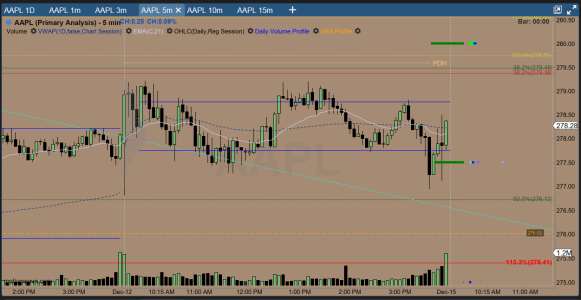
9. Because I mostly scalp intraday, I currently use this layout where I have 1D / 1m / 3m / 5m / 10m / 15m tabbed at the top. I can cycle between the tabs very quickly. Is there a way I can just put this tab structure elsewhere on a different chart almost like its own layout?
Thats all the questions I have for now folks, my brain is wrecked from thinking this stuff up. Thank you for reading my thread.
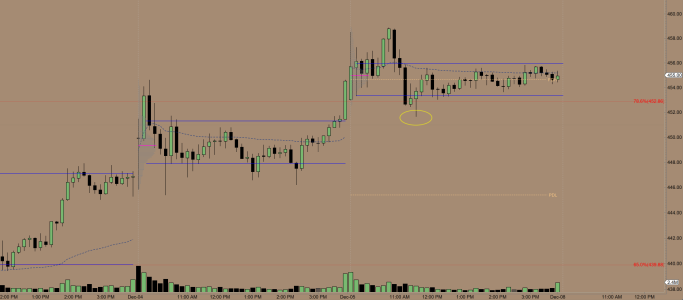
- How to display premarket levels on a regular trading hours chart? Here it is on TradingView, would really like something like this on MotiveWave.

- Part of what I love about TradingView is how many user made script there are. This one is particularly important to me: it draws SPY or SPX gaps on the ES chart automatically so I don’t have to change charts between RTH/ETH just to find when a GAP has been filled. Does something like this exist for MotiveWave?

- I posted about this earlier but haven’t found an automatic solution. I want a volume script that can extend VAH/VAL lines forward until it hits price, if this is available for MW, please let me know!
4. What do people use to make GAPs on their chart (besides horizontal lines)? I usually pick the rectangle tool and will post it on the Daily Chart and make sure the lines are visible on the lower timeframes to know when price is in a GAP? When I picked the rectangle tool, I noticed that it doesn't magnetize or snap to price levels so my rectangle/gap drawings are not specifically accurate, is there a way to fix this?:
Also, how do you get the box to extend to the right indefinitely?
5. Is there a fast way to edit Fib Ratios like color and text??? Its a nightmare having to edit each value one by one.
6. When you pull a Fibonacci ratio on a specific ticker, is there a way to add an alert on one of the ratios automatically? That would be incredible.
7. I'm having some issues with alerts, when I went to close a chart, I got an alert saying that 'there is an active alert on the chart and closing the chart can deactivate the alert.' Does the chart needs to remain OPEN for an alert to trigger? Usually I may look at a weekly or monthly chart, set an alert and pay no mind to it until it taps the level I have set. If someone can clarify, that would be great. I know on TradingView the alerts are server side so its a 'set it and forget it' situation, was hoping MotiveWave was similar.
8. How does MotiveWave handle contract switch for Futures? On TradingView, you either had a massive GAP up/down OR you had to use the displacement feature to move all your drawings in one direction with a specific value so that all your drawings were in-sync. (Pain in the ass, but doesn't take more than 3 minutes...)
9. Because I mostly scalp intraday, I currently use this layout where I have 1D / 1m / 3m / 5m / 10m / 15m tabbed at the top. I can cycle between the tabs very quickly. Is there a way I can just put this tab structure elsewhere on a different chart almost like its own layout?
Thats all the questions I have for now folks, my brain is wrecked from thinking this stuff up. Thank you for reading my thread.