volume imprint - delta, volume, profile/histogram

barker

Well-known member
Joined
Sep 23, 2023
Posts
89
Likes
14
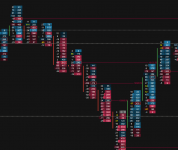
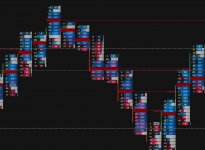
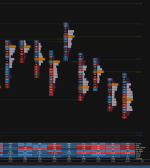
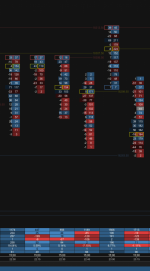
Wanted to ask if there is either a way to add additional column with the Volume Imprint Study for example: Delta, Volume, and Profile. It would help with visualization to have histogram/profile as same time. I was able to add an additional volume imprint study but they never align correctly.
 

Attachments

  • Screenshot 2024-04-08 at 00.12.19.png
    Screenshot 2024-04-08 at 00.12.19.png
    450.6 KB · Views: 134
  • Screenshot 2024-04-08 at 00.11.53.png
    Screenshot 2024-04-08 at 00.11.53.png
    230.6 KB · Views: 122
so, would like to have the volume total center, delta left and volume histogram/profile right if possible
 
I think its limited to only two columns unfortunately. I was looking for it aswell.
 
you can add multiple volume imprints to the chart
I tried this, and I got the desired results to plot however, when scaling on look back, they plot out of sync. Is there a way to lock them together?
 
I tried this, and I got the desired results to plot however, when scaling on look back, they plot out of sync. Is there a way to lock them together
Did you manage to solve this, I cant get them to allign properly with two VI?
 

Attachments

  • Skärmbild 2024-05-06 184712.png
    Skärmbild 2024-05-06 184712.png
    68.4 KB · Views: 108
  • Skärmbild 2024-05-06 184925.png
    Skärmbild 2024-05-06 184925.png
    93.4 KB · Views: 113
Did you manage to solve this, I cant get them to allign properly with two VI?
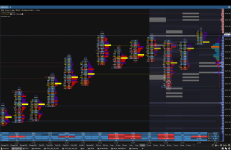
I did, not sure issue had before; whenever scaled time frame it would separate, have adjusted columns using mostly “profile” then select data. So using total 3 column over 2 imprint
 
current
 

Attachments

  • Screenshot 2024-08-30 at 12.20.12.png
    Screenshot 2024-08-30 at 12.20.12.png
    1 MB · Views: 120
The screen shot w/ the two volume imprints looks good, seems like you got the result.

Would you also be able to get a similar result using just one instance of Volume imprint and using the label feature of the profile to have the volume totals listed, then just use the second column for delta?
 
The screen shot w/ the two volume imprints looks good, seems like you got the result.

Would you also be able to get a similar result using just one instance of Volume imprint and using the label feature of the profile to have the volume totals listed, then just use the second column for delta?
Yeah. 2 columns and adjust settings
 
so, would like to have the volume total center, delta left and volume histogram/profile right if possible
Exactly what I want to achieve, im going to give this a shot. Only issue is I am already using two volume imprint tools and not sure I can add a third...
 
Last edited:
It’s possible to add a third imprint; I think what you’re trying to do is possible it messing around with the column settings with two imprint. You can use Sierra with any Mac after purchasing code Weaver. It’s pretty good.
 
Wanted to ask if there is either a way to add additional column with the Volume Imprint Study for example: Delta, Volume, and Profile. It would help with visualization to have histogram/profile as same time. I was able to add an additional volume imprint study but they never align correctly.
I’ve made a video—you can watch the full tutorial here.
 
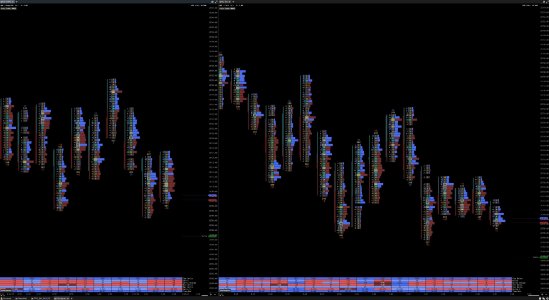
nice video, I originally put together this imprint with inspiration from smashelito at the time, the one I did uses 2x imprints. I tried to follow the video. curious: what does the 3rd/last imprint purpose serve since both columns were left unchecked? thank you for sharing. attached is the study I made along with watching the vid
 

Attachments

  • Screenshot 2025-12-10 at 01.39.42.jpg
    Screenshot 2025-12-10 at 01.39.42.jpg
    341.6 KB · Views: 17
nice video, I originally put together this imprint with inspiration from smashelito at the time, the one I did uses 2x imprints. I tried to follow the video. curious: what does the 3rd/last imprint purpose serve since both columns were left unchecked? thank you for sharing. attached is the study I made along with watching the vid
I think I added that for the summary volume profile.
 
Top