Create a Bookmap-Style Heatmap in MotiveWave

altafjkhan

Member
Joined
Apr 17, 2025
Posts
14
Likes
14
Hey everyone!

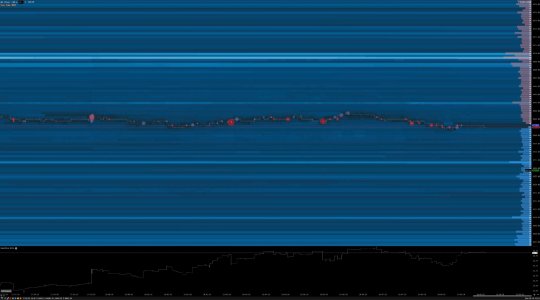
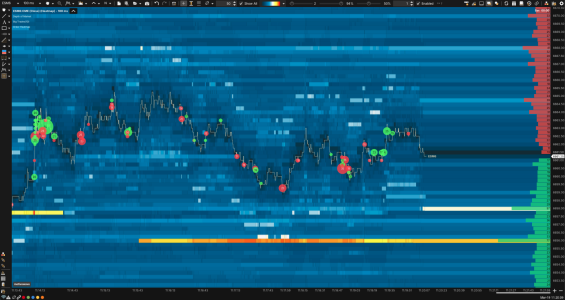
I've made a short video showing how to create a Heatmap similar to Bookmap directly in MotiveWave.

It's a simple setup that helps visualize market depth and order flow more clearly. Check it out and let me know your thoughts or improvements!
 
Hey everyone!

I've made a short video showing how to create a Heatmap similar to Bookmap directly in MotiveWave.

It's a simple setup that helps visualize market depth and order flow more clearly. Check it out and let me know your thoughts or improvements!
Awesome thanks!
 
Hey everyone!

I've made a short video showing how to create a Heatmap similar to Bookmap directly in MotiveWave.

It's a simple setup that helps visualize market depth and order flow more clearly. Check it out and let me know your thoughts or improvements!
very cool, thank you for sharing
 
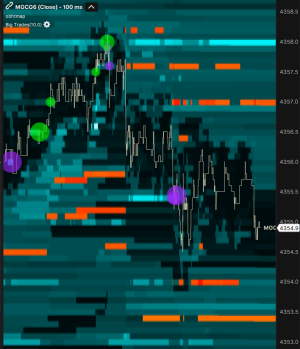
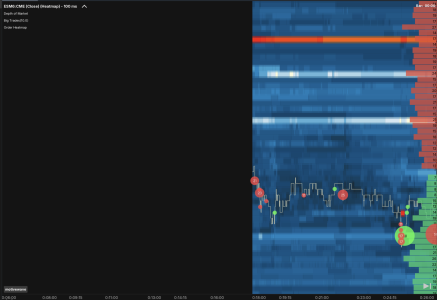
I made it with reference to that video!

Although the color tone has changed, I feel that I have come closer to the behavior of the bookmap by adding a 5-level gradient between the color and setting the interval between the UI and DOM snapshot short!
 

Attachments

  • image.png
    image.png
    80 KB · Views: 19
I made it with reference to that video!

Although the color tone has changed, I feel that I have come closer to the behavior of the bookmap by adding a 5-level gradient between the color and setting the interval between the UI and DOM snapshot short!
It looks good.
 
I made it with reference to that video!

Although the color tone has changed, I feel that I have come closer to the behavior of the bookmap by adding a 5-level gradient between the color and setting the interval between the UI and DOM snapshot short!
Anyway, you can share your template. I like the look you created... Also, what do you mean by "setting the interval between the UI and DOM snapshot short!" Thanks in advance.
 
Anyway, you can share your template. I like the look you created... Also, what do you mean by "setting the interval between the UI and DOM snapshot short!" Thanks in advance.
What I meant by “setting the interval between the UI and DOM snapshot short” is reducing both update intervals so the heatmap reacts to order book changes more frequently and with less latency.

In my setup, I set:
• UI Update Interval to 100ms
• DOM Snapshot Interval to 100ms

By keeping both intervals short, the heatmap reflects liquidity appearing and disappearing almost immediately, instead of updating in larger steps. This makes the transitions smoother and the behavior closer to Bookmap, where you can visually track subtle changes in resting liquidity and absorption in near real time.

If performance becomes an issue, reducing the displayed depth helps keep the system responsive.

 
What I meant by “setting the interval between the UI and DOM snapshot short” is reducing both update intervals so the heatmap reacts to order book changes more frequently and with less latency.

In my setup, I set:
• UI Update Interval to 100ms
• DOM Snapshot Interval to 100ms

By keeping both intervals short, the heatmap reflects liquidity appearing and disappearing almost immediately, instead of updating in larger steps. This makes the transitions smoother and the behavior closer to Bookmap, where you can visually track subtle changes in resting liquidity and absorption in near real time.

If performance becomes an issue, reducing the displayed depth helps keep the system responsive.
Amazing, thank you!
 
Top