New to Cloud Levels

Kelly

Member
Joined
Feb 5, 2025
Posts
8
Likes
0
Hi Everyone. I'm new to using cloud levels and watched the video. I'm trying to simply draw a thin solid or dashed line at specific prices. Is this possible? I got very confused about the "diameter" column value. Can someone help who has done this before? Attached is a screen shot of what I'm trying to accomplish.

Hello again. I took a guess at what to do and it worked. My only other question is can you make any lines dashed instead of all of them being solid? I use both solid and dashed on my charts. Thanks

Thanks
 

Attachments
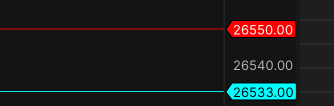
  • Motivewave_CloudLevels.png
    Motivewave_CloudLevels.png
    5.9 KB · Views: 9
Last edited:
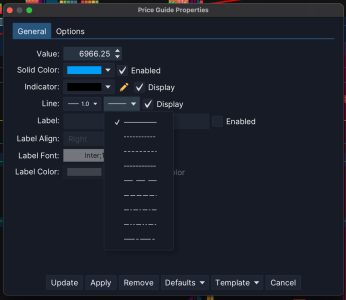
Hello when you add the price guide line you can change the style of the dot in the general tab menu.Screenshot 2026-01-30 at 7.32.12 PM.png
 
Thanks for responding. When I create a price guide using the Cloud Levels feature, I'm not able to click and modify the price guide attributes. Is there a column attribute for dashed line vs. solid when creating the .csv file?
 
Thanks for responding. When I create a price guide using the Cloud Levels feature, I'm not able to click and modify the price guide attributes. Is there a column attribute for dashed line vs. solid when creating the .csv file?
I am not aware of there being an option in cloud levels to do that. I hope someone on this feed will have a better answer for you. Sorry.
 
from my understanding you can only have solid and define the band offset:

Symbol,Price,Label,Text Color,Line Color,Band Color,Band Offset,Show Label,Show Price
 
Top